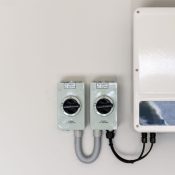
If your app or inverter shows Battery CAN Calm Alarm or CAN Calm Fail, your battery may simply need to be woken up.
Quick Fix: Wake the Battery
- Go to your battery unit.
- On the side of the battery, find the small brushed silver button.
- Press and hold the button for a few seconds.
- The battery should wake up automatically.
Give it a moment and check whether the alarm clears.
If It Still Doesn’t Wake
If the battery doesn’t come back online after pressing the button, you may need to complete an additional battery wake-up procedure (covered in our other videos).
Need a Hand?
Chat with our Going Solar AI Agent or contact our support team by filling a support form and we’ll help you get it sorted.