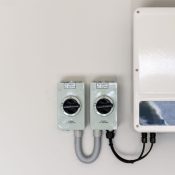
If your solar monitoring is offline, you may need to reconnect your inverter/data logger to your home WiFi. Follow the steps below using your phone.
What you’ll need
- Your phone
- Your home WiFi name and password
- Access to the inverter data logger (the unit with flashing lights)
Step 1: Connect to the Inverter Hotspot
- On your phone, go to Settings → WiFi.
- Look for a WiFi network made up of letters and numbers (this is the inverter/data logger hotspot).
- Tap to connect.
Hotspot password:123456789
If you can’t see the hotspot
- Find the reset button on the back of the data logger (beside the flashing lights).
- Press and hold for about 30 seconds.
- Wait for the hotspot network to appear, then connect using the password above.
Step 2: Open the Setup Page in Your Browser
- Once connected to the hotspot, open your phone’s web browser (Safari/Chrome).
- In the address bar, enter this IP address:
10.10.100.254
- Log in with:
- Username:
admin - Password:
123456789
Step 3: Select Your Home WiFi Network
- Tap Quickset.
- At the top, press the orange Search button.
- Wait for the list of available WiFi networks to load.
- Select your home WiFi from the list.
- Tap OK.
Step 4: Enter WiFi Password and Save
- Enter your home WiFi password in the field provided.
- Scroll down and press Save at the bottom of the page.
Your system should now reconnect and come back online within a few minutes.
Still Offline?
Chat with our Going Solar AI Agent or contact our support team by filling a support form and we’ll help you get it sorted.